To register Sage Evolution with your license code, follow the steps below. Note that there are multiple ways to do this. This is only indicating one way.
Step-by-step guide
- When in Sage Evolution, click on "Help...About".
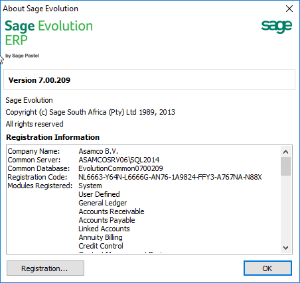
- And click on "Registration"
- Follow the wizard,
- Enter your company's registered name
- E-mail the pin-number to your business partner
- Enter the registration code
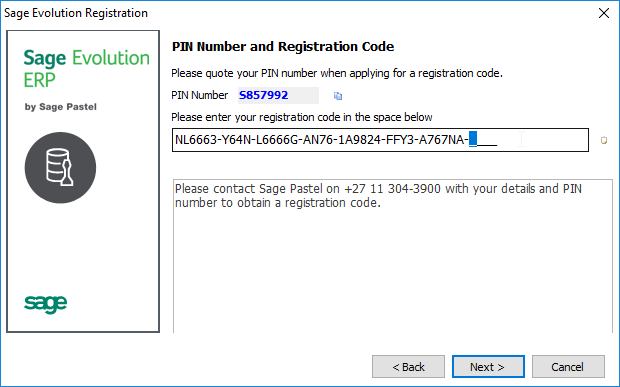
- Click on Next
- Check if the registration properly updated by checking the remaining days, and the number of users:

- And Finish.
Alternative methods to get into the registration wizard
- When Sage Evolution registration is expiring (60 days in advance), you'll get a message which will allow you to go to the registration wizard directly.
- From the Login screen, via locate:
- Locate / Edit
- Next (to go to the EvolutionCommon database selection)
- Click on "Registration" in the right top.
- Follow the wizard as described above
Related articles