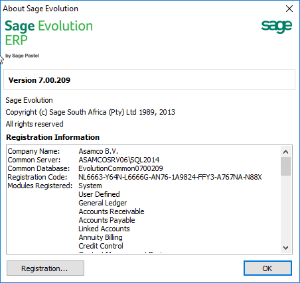
- Enter your company's registered name
- E-mail the pin-number to your business partner
- Enter the registration code
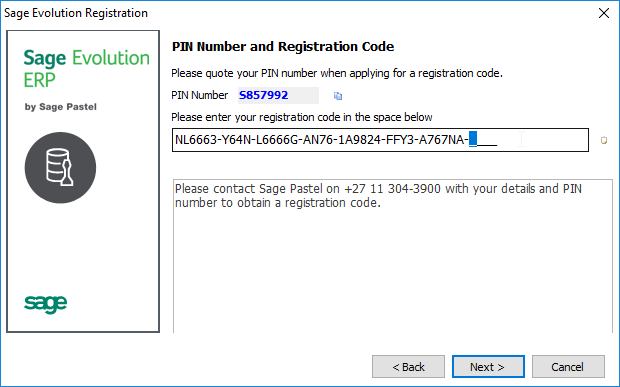
- Click on Next
- Check if the registration properly updated by checking the remaining days, and the number of users:

- And Finish.
To register Sage Evolution with your license code, follow the steps below. Note that there are multiple ways to do this. This is only indicating one way.
Add the steps involved:
| You may also want to use visual panels to communicate related information, tips or things users need to be aware of. |
Related articles appear here based on the labels you select. Click to edit the macro and add or change labels.
|